Timely 1099 e-filing at year-end helps you meet federal requirements, avoid costly penalties, and maintain good standing with the IRS. Avalara 1099 & W-9 simplifies this process with an easy-to-use e-filing solution that helps ensure your 1099s are submitted accurately.
Video: See for yourself how to e-file 1099s with the IRS.
Already an Avalara 1099 & W-9 customer?
Whether you’re stuck or just curious, Avalara is here to make it easier to collect W-9s, file end-of-year 1099s with the IRS and with states, and deliver to recipients — drop us a line.
E-file your 1099s with the IRS and get your time back in January
Add your payers
The first step of e-filing with the IRS is organizing your recipients by the entity that hired them. Do this one at a time or in bulk.
Enter your recipients
Enter recipients manually if you have only a few, upload a CSV file if you have a lot, or automatically transfer them from your ERP, accounting, marketplace, or ecommerce system with our flexible APIs.
Review your forms
Avalara 1099 & W-9 makes it easy to track which of your 1099s are ready to e-file and e-deliver with a simple color code that organizes all the information on your behalf.
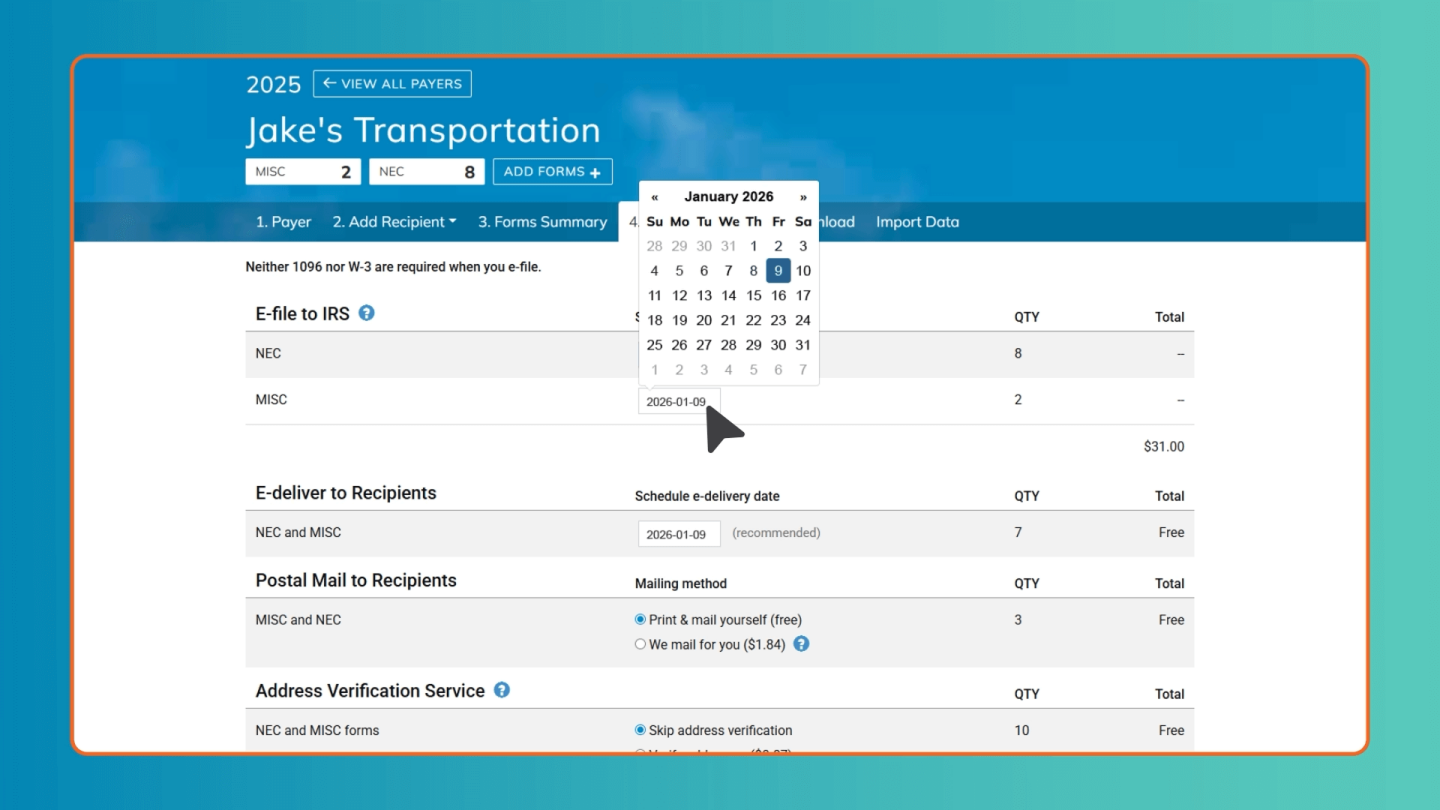
Schedule e-filing and e-delivery
The IRS, states, recipients, TIN and address matches — it’s all in one place. Just get your credit card ready and schedule them all at once (or have them count toward your subscription).
Download for your records
Download PDFs, CSV files, and state files as needed. All your activity is stored in the Avalara 1099 & W-9 system for five years, which is plenty of time in case of IRS audit.
Come back next year
Avalara 1099 & W-9 saves your information in case you need to make corrections later. The whole process will get even easier next time since you won’t be starting from scratch.
There’s a reason why 91% of Avalara 1099 & W-9 users say they plan to use the product again next year.*
*Based on a February 2025 survey of Avalara 1099 & W-9 customers.
Streamlined filing process
Simplify your 1099 e-filing with our user-friendly platform to guide you step by step — from importing data to submitting forms — making the process faster and more efficient than manual filing.
Built-in accuracy checks
Avoid costly errors and rejections with automated validations, which catch common mistakes before submission and help ensure your forms meet IRS formatting and compliance standards.
Real-time filing status and confirmations
Track your e-filing progress in real time and receive immediate confirmation when your forms are accepted by the IRS, giving you peace of mind and audit-ready documentation.
Customer stories
See what our customers have to say
“You have been a lifesaver to us ‘small’ bookkeepers who are tasked with this job annually, trying to find an all-in-one program that can do it all instead of bits and pieces of the whole. The site is great and easy to work with and the job gets done in less than half the time it used to take. Please do not ever shut down or quit your services as they are wonderful!”
Karen Gilley
Sole Member, BB Bookkeeping
“My team loves Avalara 1099 & W-9. Filing 1099s is so much easier than in the past. It handles so many of the details and follow-up for us.”
Avalara 1099 & W-9 maintains a comprehensive list of frequently asked questions (FAQ) to help users navigate IRS 1099 and W-9 compliance with clarity and confidence.
Yes. You can file original 1099s for prior years. Corrections for previous years can only be e-filed if you submitted the original form through Avalara 1099 & W-9 in that same year. To select a different tax year, use the All Payers navigation bar and select the desired year.
Absolutely. You’re not required to e-file all your forms at once. You can file them individually as information becomes available.
After scheduling and paying for e-filing, go to your Payer dashboard and select Mail from the navigation bar. You can download PDFs for recipients missing email addresses or those who haven’t accepted e-delivery. Forms can be printed on plain paper and fit standard #10 double-window envelopes.
Yes. You can continue to e-file 1099s through mid-November each year. The IRS closes 1099 e-filing from mid-November until early January.
No. Dashes are ignored by the IRS. When importing data via CSV, if the TIN type column is left blank, we assume the number is an EIN if the field contains one dash, and an SSN if it contains two dashes or none.